iPhone In review
Sift - Photo & File Cleanup
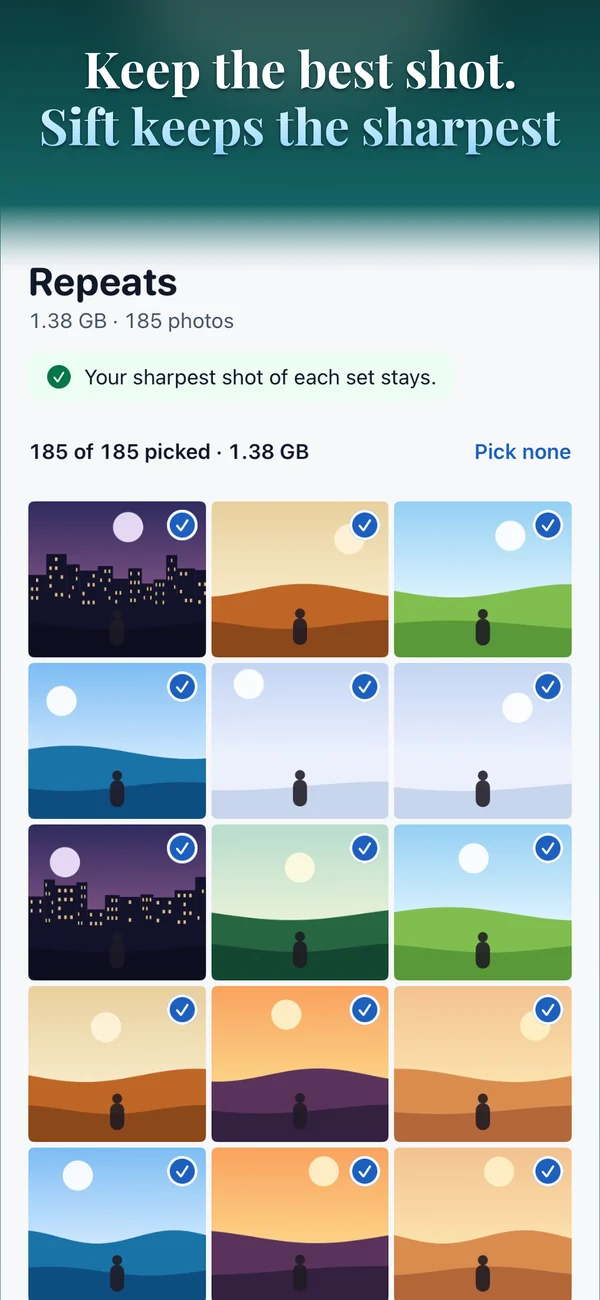
Photos and video are almost all of the space on your phone, and most of it you would not miss. Sift finds the duplicates, the near-copies, the blurry frames, the screenshots, and the oversized video hiding in yours, then learns which ones you actually delete.
Free to scan and see everything it finds
$4.99 a month, $29.99 a year, or $79.99 once and never again. One month free on either subscription, so you can see for yourself first.
Email me the day it is liveFree to scan. No account, ever.
What the others charge
- Cleaner Gemini$6.99/week — about $364/year
- CleanMy Phone (MacPaw)~$9.99/month, ~$44.99 lifetime
- AiCleanerPro$4.99/month, $29.99/year
- Sift$79.99 once, or $29.99/year
A weekly-billing cleaner passes Sift’s one-time price in about twelve weeks. Prices checked August 2026.
What it does
- Duplicates and near-copies — including the bursts iOS’s own Duplicates album never catches, keeping the sharpest of each group and letting the rest go.
- Blurry photos — measured from the image, not guessed.
- Screenshots — high in count, almost never looked at twice.
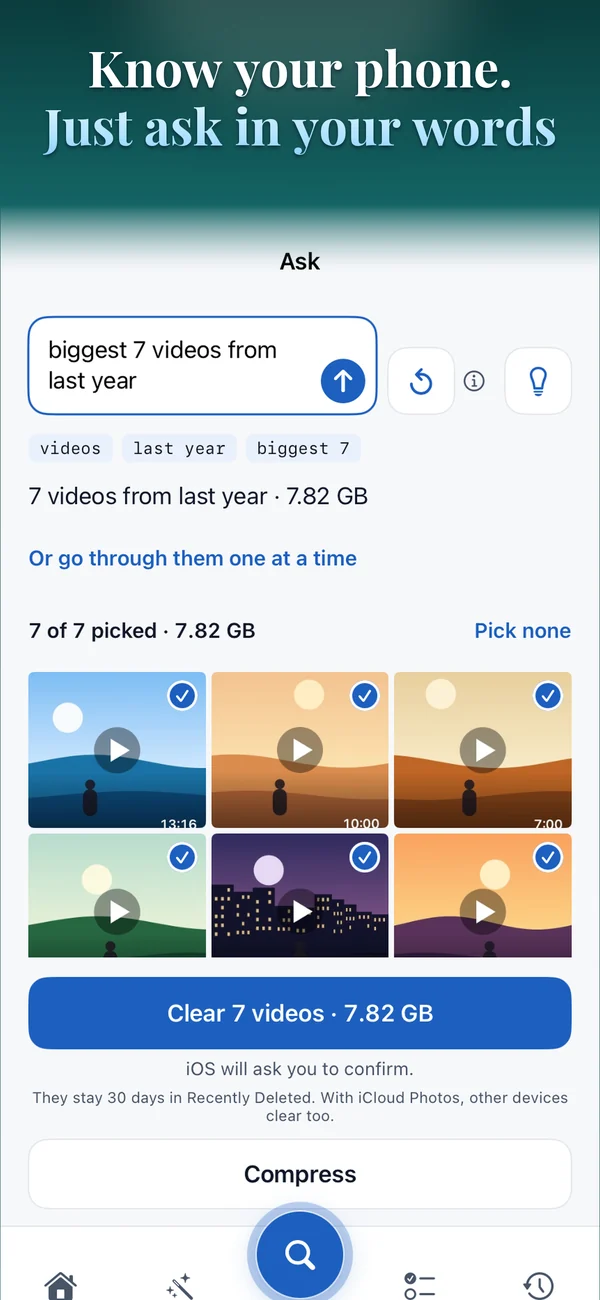
- Large videos — compressed rather than deleted, and only swapped in once the new file is verified smaller.
- Live Photos — keep the picture, drop the video half that is most of the size.
- AI album maker — sorts your library by what is actually in each photo, on the Neural Engine, nothing uploaded, ever.
- Learns what you keep — every swipe trains a small model on your device, so the next pile turns up already sorted by what you would bin.
- Finds exposed secrets — API keys, private keys, wallet files, and photos that quietly carry your home address.
How to use it
- Open Photos and allow access. Sift can only see what you share with it. Full access finds the most; a selection works too, and the totals will say so.
- Scan. One pass computes everything. The estimate is measured from the run itself, not guessed, and you can stop at any point without losing what it already found.
- Open a category. Each one shows what it found and what it costs you. Nothing is selected for you.
- Review one by one, or delete the batch. The queue is ordered worst-first, and every photo tells you why it was flagged and exactly how big it is.
- Confirm. Every deletion names the count and the megabytes before it happens, then lands in Recently Deleted, where iOS holds onto it for 30 days.
Questions
Does it upload my photos?
No. There is no account, no sign-in and no server — I have a test in the build that records every network request during a real scan and fails if it sees even one. Try it yourself in airplane mode.
Why does it say photos couldn't be checked?
Photos stored only in iCloud under Optimize Storage have no local copy to read, and Sift will not download thousands of originals over your data just to check them. It tells you exactly how many were skipped, rather than quietly reporting on a fraction of your library.
Will it delete something without asking?
No. It ranks and suggests; you confirm every deletion yourself, with the count and the size shown, and it goes to Recently Deleted first.
What does it learn about me?
Which kinds of photo you bin. That lives in sixty-five numbers on your phone, different from everyone else’s, and one button forgets all of it. I find that oddly reassuring for something that sounds like it should be creepier.
Is it a subscription?
There is a monthly plan and a yearly one, plus a one-time lifetime purchase if you would rather pay once and never think about it again. No weekly billing, ever.
Keep reading
- Why your iPhone is still full after you deleted everything
- How to find duplicate photos on iPhone
- How to free up space without deleting photos
Sift is sitting in App Store review right now. Leave an email below and I will let you know the moment it is live.